

For a national nonprofit, association, fraternity or youth league that holds a group exemption, the annual update is easy to lose among year-end tasks. The new form gives the update a standard shape, and the filing window is narrow enough that it belongs on the calendar early.
As of October 2026, a central organization with a December 31 year end is already inside its window, which runs from October 2 to December 1. This guide covers who files, when, what to include, how to submit, and what to do if the window passes. It is general information, not legal advice.
Who Must File Form 15644?
Only the central organization files Form 15644. Subordinate organizations, such as chapters, lodges, troops and affiliates, do not file it themselves. The central organization is the entity that holds the group exemption letter and answers to the IRS for the subordinates listed under it.
Churches, conventions of churches and associations of churches that act as central organizations may submit the form, but they are not required to. All other central organizations should treat the annual submission as required.
Supplemental Group Ruling Information (SGRI) is the annual update that section 7 of Rev. Proc. 2026-8 asks central organizations to send the IRS. The IRS announced in its July 2026 Exempt Organizations Update that, beginning in 2026, central organizations use new Form 15644 to meet that obligation. The yearly reporting duty is not new. The standardized form is.
The procedure replaces Rev. Proc. 80-27. For the full picture of what changed, see Crowded’s Rev. Proc. 2026-8 group exemption guide. For the chapter-level view, read what Rev. Proc. 2026-8 means for subordinate organizations.
When Is the Form 15644 Filing Window?
The Form 15644 window opens 90 days and closes 30 days before the end of the central organization’s annual accounting period. In other words, submit the form at least 30 days, but no more than 90 days, before the fiscal year ends.
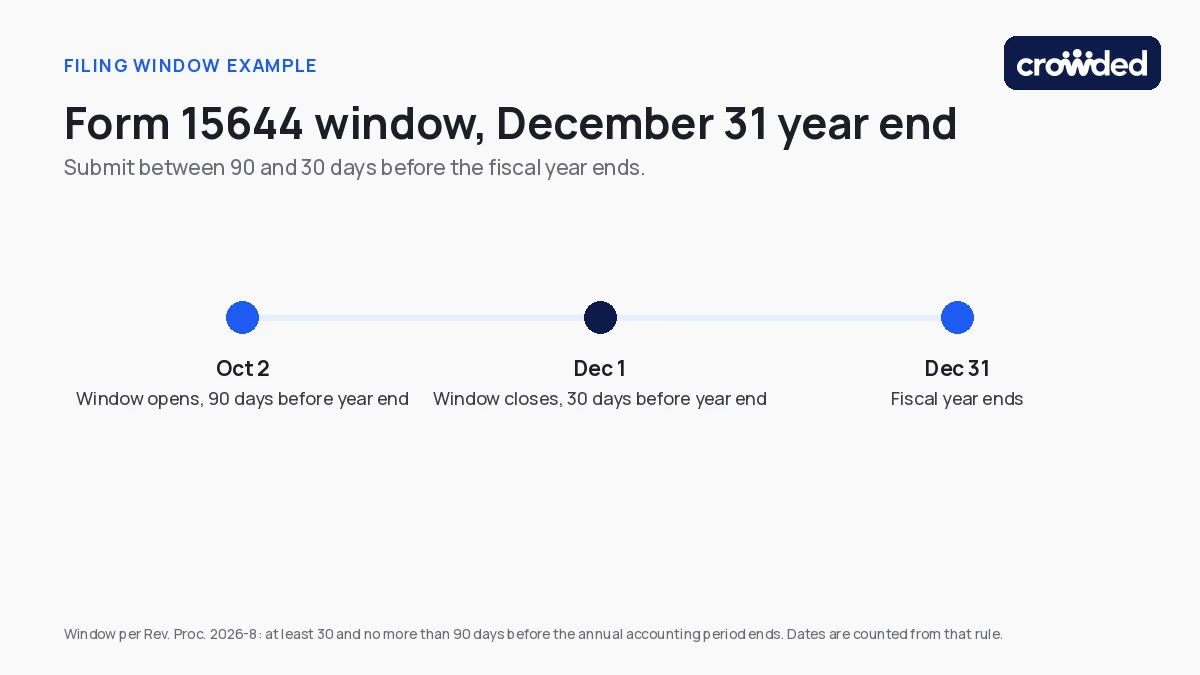
The table shows the window for four common year ends. The dates are simple arithmetic from the 30-to-90-day rule, not IRS statements, so confirm how the IRS counts days in the current Form 15644 instructions.
| Fiscal year ends | Window opens | Window closes |
|---|---|---|
| December 31, 2026 | October 2, 2026 | December 1, 2026 |
| January 31, 2027 | November 2, 2026 | January 1, 2027 |
| June 30, 2027 | April 1, 2027 | May 31, 2027 |
| September 30, 2027 | July 2, 2027 | August 31, 2027 |
Treat the window as strict. The sources reviewed for this guide do not describe how the IRS handles a submission that arrives early or late, so do not assume either one is accepted. If a date is at risk, ask counsel or the IRS about relief before it passes.
What Goes Into the Annual Group Exemption Update?
The annual group exemption update tells the IRS how the roster of subordinates changed during the year, along with the information Rev. Proc. 2026-8 requires. The exact lines belong to the current form, so use its instructions as the final word. Plan for these categories:
- Additions: subordinates newly included in the group exemption.
- Removals: subordinates that left the group.
- Terminations: subordinates that closed or dissolved.
- Name or address changes: updated legal names and mailing addresses.
- Automatic revocations: a list of subordinates whose exemption was automatically revoked, where the procedure asks for it.
Have the full subordinate roster ready before anyone opens the form: legal names, addresses and EINs. Chapters are the most reliable source for current details, and officer turnover is the usual reason a roster drifts. A central organization can also submit interim updates during the year to add or remove subordinates. Rev. Proc. 2026-8 describes a 30-day notice for removals, so read the procedure before relying on a date.
Picture a national association with 40 chapters. One chapter dissolves in March, another moves its mailing address in August, and a third joins in October. Without a running roster, the finance team rebuilds those three changes from email threads in the weeks before the window closes. With a roster kept current all year, the update takes an afternoon.
For background on how a group exemption works and why the roster matters, see how a 501(c)(3) group exemption works and the risks of running a group exemption without tracking chapters.
How Do You Submit Form 15644?
As of October 2026, the IRS asks central organizations to submit Form 15644 by fax, and no electronic option has been announced. Some sources mention other methods, so check the instructions printed with the form before sending anything.
Download the current Form 15644 and its instructions from the IRS, and confirm the fax number there instead of copying it from an old email or a third-party page. IRS contact details can change. A simple routine keeps the filing clean:
- Pull the current form and instructions from the IRS.
- Complete the form from the confirmed subordinate roster.
- Have the named owner and a second reviewer check it against the roster.
- Send it by fax inside the window and keep the transmission confirmation.
- Store the form and the confirmation with the group exemption records.
Do You File Form 15644 If Nothing Changed?
Yes. The annual update is due even when the roster did not change. Submit Form 15644 and indicate that there are no changes. Read the instructions for how the form asks you to say so, because the exact wording on the form can differ from what summaries describe.
Treat the annual update as a yearly confirmation of the roster, not only a report of movement. A quiet year is still a year in which a chapter may have closed, merged or changed its address without telling headquarters.
What Happens If You Miss the Form 15644 Window?
Failing to submit timely and complete Supplemental Group Ruling Information is a ground the IRS may use to terminate a group exemption letter, under section 8 of Rev. Proc. 2026-8. Termination is discretionary, and the IRS can consider whether an error was isolated. The sources reviewed describe no monetary penalty.
Termination still matters. Subordinates lose coverage under the group letter and must establish exempt status on their own, and the central organization may apply for a new group exemption with Form 8940 and Schedule Q. Re-application after termination is a topic for a separate guide. For the legal side, see group exemption legal risk for association attorneys.
If the window has already passed, talk to counsel or the IRS about relief as soon as possible. The sources reviewed do not describe a late-filing procedure, so do not assume one exists. Separately, the transition period for existing group exemptions runs through January 22, 2027.
Form 15644 Action Checklist for Central Organizations
A short checklist keeps the annual update from depending on one person’s memory. Assign each step to a named owner and put the dates on a shared calendar.
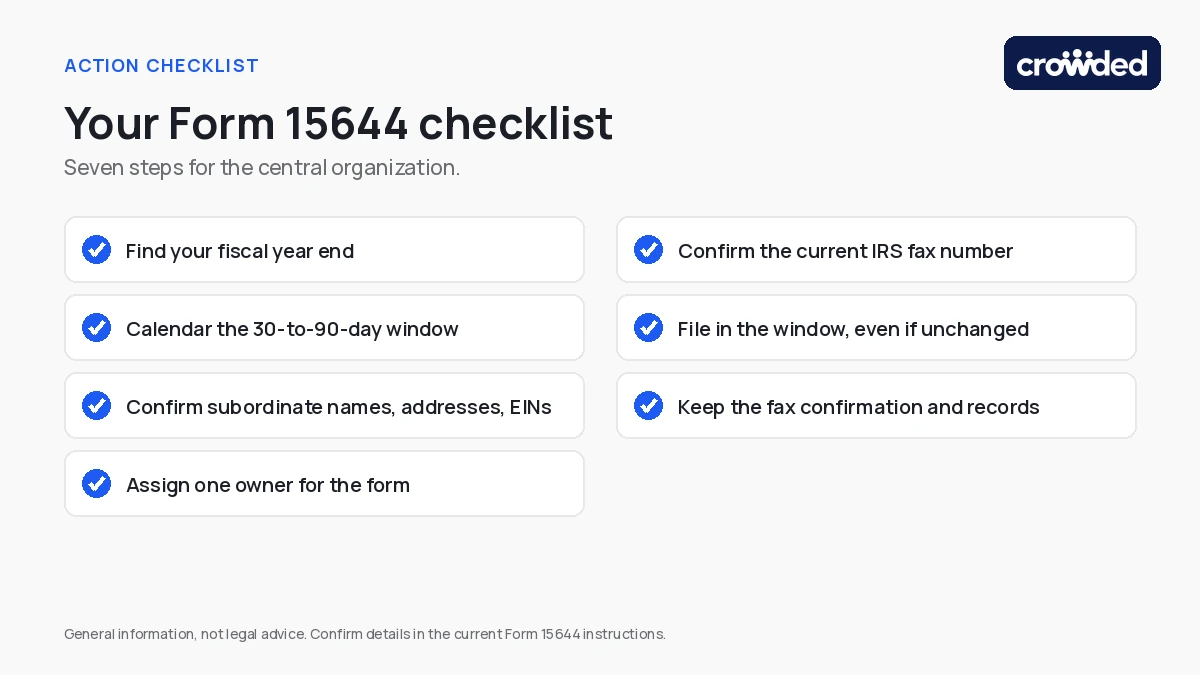
- Find your fiscal year end and calendar the 30-to-90-day window.
- Confirm each subordinate’s legal name, address and EIN with its chapter.
- Assign one owner for the form and one backup.
- Confirm the current IRS fax number and instructions before sending.
- File inside the window, even if nothing changed.
- Keep the fax confirmation and the roster you filed from.
How Crowded Helps Central Organizations Keep Group Exemption Records Ready
A Form 15644 submission is only as accurate as the subordinate roster behind it. Crowded’s group exemption compliance solution gives a central organization one place to see which chapters are active, inactive or missing key documentation.
- Chapter visibility: view all chapters in one place, with chapter tracking for status and documentation.
- Exemption monitoring: monitor tax-exempt status and group exemption inclusion across the roster.
- Officer transitions: get notified when a turnover creates an access gap.
- Filing status: follow Form 990 filing status by chapter in one dashboard.
- Audit trails: keep a record of approvals, documentation and actions.
Crowded’s group exemption page also lists annual group exemption maintenance filings among its compliance support. Ask during a demo how that applies to your Form 15644 workflow.
Put the Filing Window on the Calendar Before Year End
The annual update is a small filing with a narrow window and a real consequence if it is missed. Confirm your fiscal year end, build the subordinate roster, name an owner, and file inside the window.
If your team wants a clearer view of its chapter roster ahead of the next update, book a demo to see how Crowded supports central organizations, or open an account to get started.
This post is general information as of October 2026, not legal advice. Confirm the details against the current Form 15644 instructions or with counsel before filing.
Crowded is compliant money movement and banking for mission-driven organizations — fund accounts, policy-controlled disbursements, and IRS filings in one platform.
* Crowded Technologies Inc is a financial technology company and is not a bank. Banking services provided by i3 Bank; Member FDIC.